Irurueta Android GL Cube
| This documentation was generated with the assistance of AI. Please report any inaccuracies. |
irurueta-android-gl-cube is an Android library that provides CubeTextureView, a view that draws a 3D cube with
OpenGL ES 2.0 on a transparent background. It is a compact, working example of how to use
irurueta-android-glutils to render a 3D scene from a
pinhole camera.
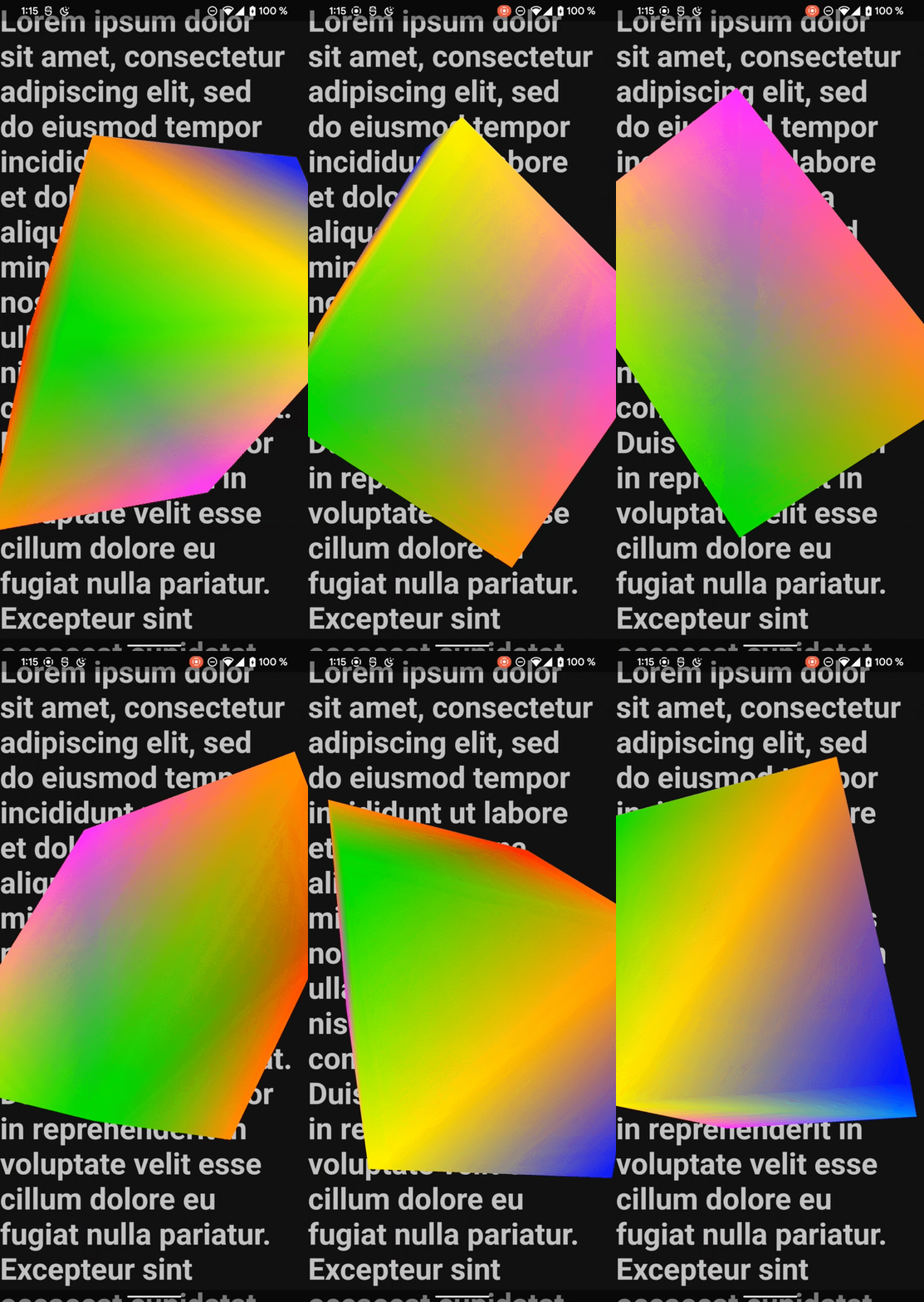
Because CubeTextureView extends GLTextureView (a TextureView based OpenGL view from irurueta-android-glutils)
instead of GLSurfaceView, it behaves like any other view in the hierarchy: it can be placed on top of or below
other views, it can be translucent, and it can be moved, scaled, rotated or animated with regular view properties.
In the demo above, the text is a plain TextView placed behind the cube.
Features
-
3D cube with a different color on each vertex, drawn with OpenGL ES 2.0 shaders.
-
Transparent background by default (
clearColorisColor.TRANSPARENT), so the cube can be composed with other views. -
Configurable cube size, position and rotation, using
Point3DandRotation3Dfrom irurueta-geometry. -
Scene camera defined as a
PinholeCamera(intrinsic parameters, center and rotation), with near and far clipping planes. -
Conversion from an OpenGL projection matrix (for instance, the one provided by ARCore) to pinhole camera intrinsic parameters through
OpenGlToCameraHelper. -
Optional camera expressed in Android view coordinates once the display orientation is known.
-
Frames are rendered only when something changes (
RENDER_MODE_WHEN_DIRTY): every property setter requests a new frame, so the view does not consume GPU when idle.
Core concepts
-
CubeTextureViewis the public entry point. Its properties forward to an internalCubeRendererand request a new frame. -
The OpenGL surface is created asynchronously. Camera related properties can only be set once the surface exists, which is notified through
CubeTextureView.OnSurfaceChangedListener. See Waiting for the surface. -
The scene is defined in world coordinates, where the y axis points upwards. By default the cube center is placed at
(0, 0, 2).
Public API at a glance
| Type | Purpose |
|---|---|
|
The view. Exposes cube, camera and color properties, and forwards them to the renderer. |
|
Notified when the OpenGL surface is created or resized. Use it to initialize camera related properties. |
|
|
Where to go next
-
Installation: add the dependency to your project.
-
Usage: add the view to a layout, wait for the surface and set a camera.
-
Cube and colors: size, position, rotation and colors.
-
Camera: intrinsic parameters, camera pose, clipping planes and view coordinates.
-
Animation: animate the cube and the camera as in the demo.
-
Configuration reference: every property and default value.
-
Reference: API documentation and other links.