Sample app
| This documentation was generated with the assistance of AI. Please report any inaccuracies. |
The app module contains a small application, MainActivity, that shows three images as the pages of a book over a
title:
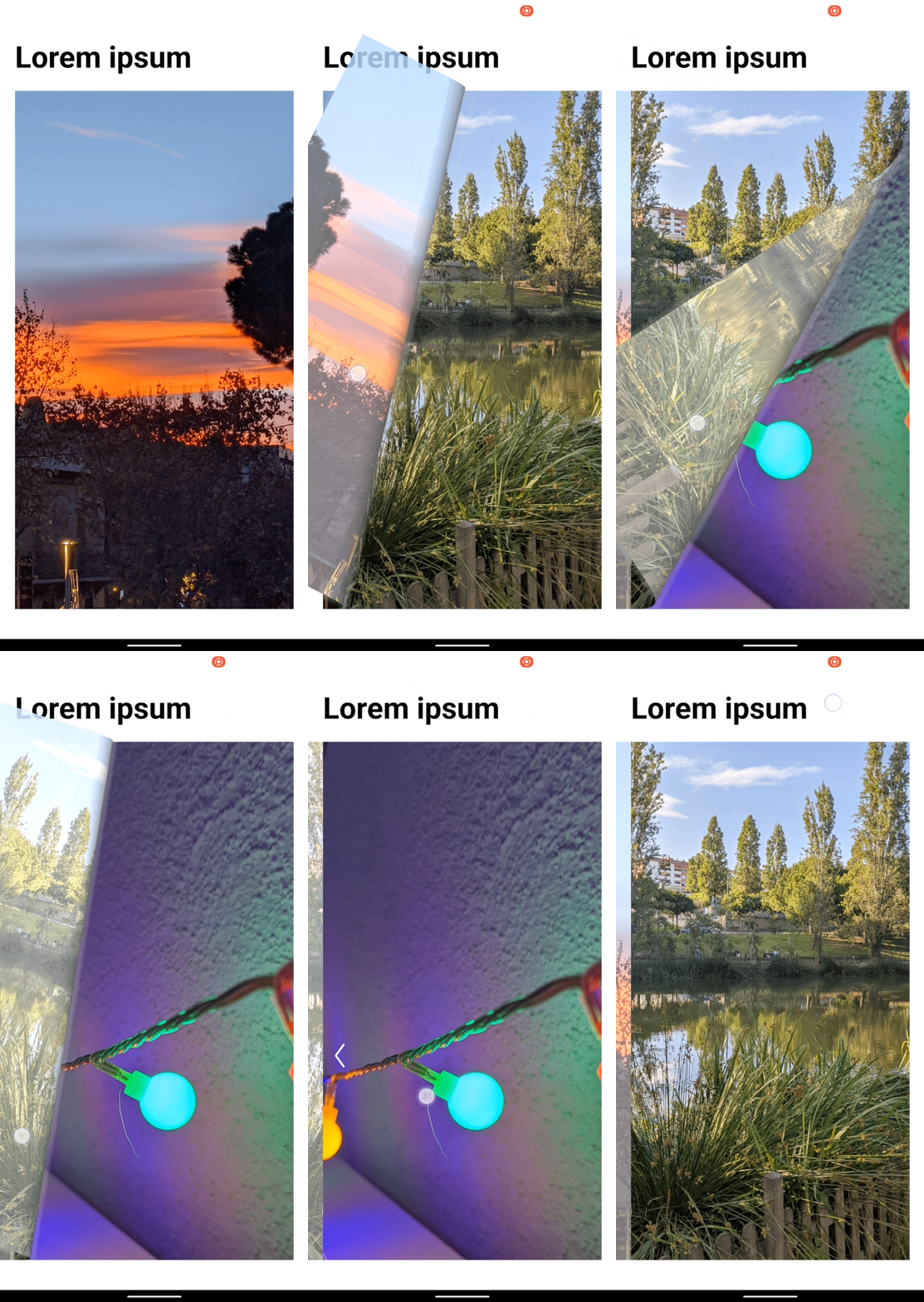
What it shows
-
A
ConstraintLayoutwith aTextViewtitle and a full screenCurlTextureViewon top of it. Because the curl view has a transparent background, the title remains visible behind the pages. -
Three drawables decoded once in
onCreateand recycled inonDestroy. -
A
PageProviderthat draws each image centered on a white page of the requested size, and sets a translucent white (#CCFFFFFF) blend color on the back side. -
A
SizeChangedObserverthat computes proportional margins from a 20dp margin and the title height, and then sets the page provider. -
onResume/onPauseforwarded to the view.
Running it
Open the project in Android Studio and run the app configuration, or from the command line:
./gradlew :app:installDebugThe relevant code is in app/src/main/java/com/irurueta/android/gl/curl/MainActivity.kt and
app/src/main/res/layout/activity_main.xml. The Reacting to size changes section reproduces its
margin computation.